AI CCTV UAE: Smart Camera Analytics Guide
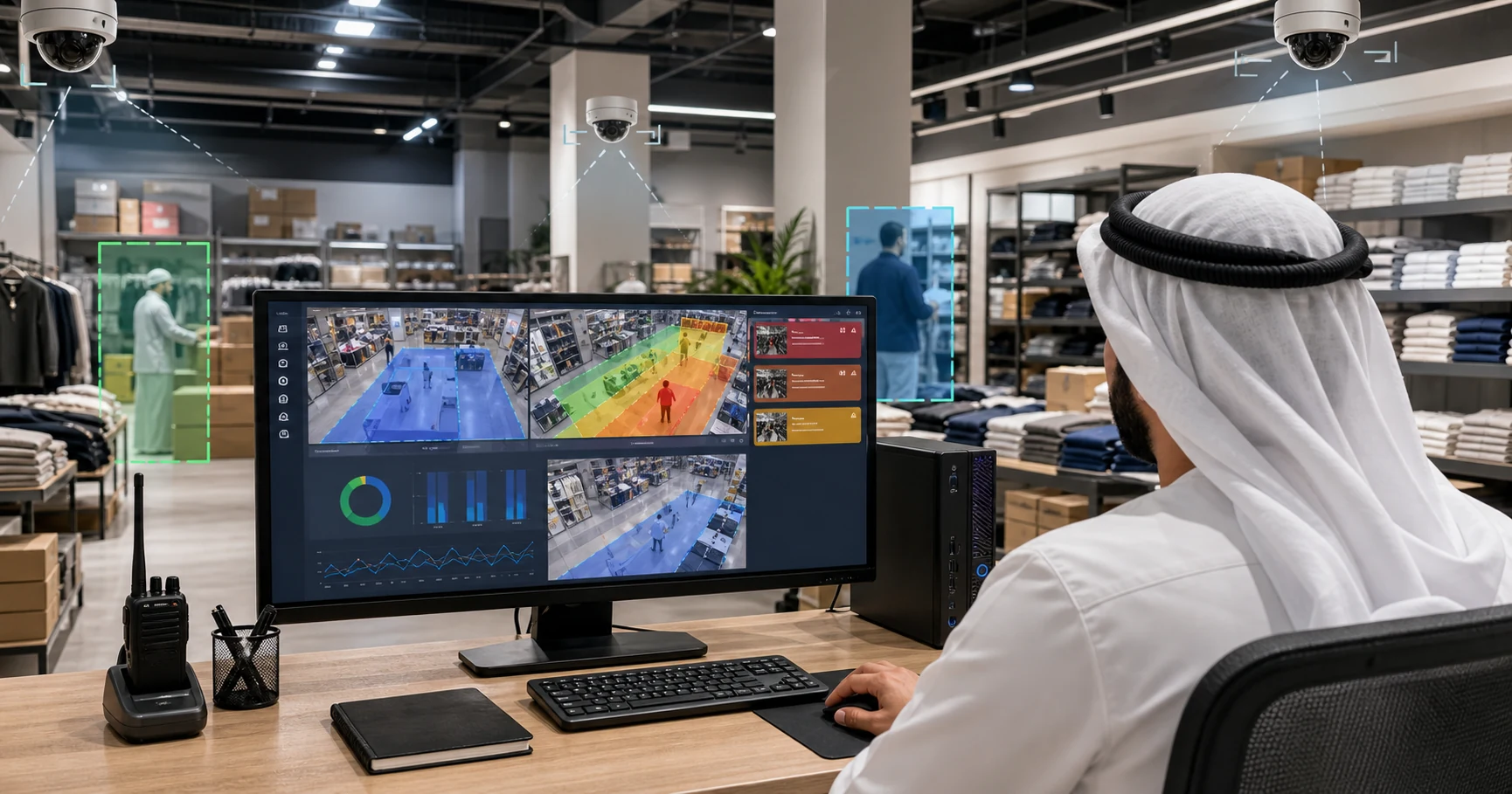
AI CCTV in the UAE means adding computer vision to security cameras so they can detect people, count activity, trigger alerts, and produce operational analytics. For most UAE retailers, warehouses, schools, and facilities, the best path is not replacing every camera; it is adding AI analytics to existing IP cameras while keeping video processing local.
That distinction matters. A business in Dubai, Abu Dhabi, Sharjah, or the wider Gulf may already have Hikvision, Dahua, Axis, or other IP cameras installed. The real question is whether those cameras can become useful enough to alert a manager, reduce manual monitoring, and support operational decisions without sending sensitive footage to a third-party cloud.
What does AI CCTV do differently from normal CCTV?
Normal CCTV records footage. AI CCTV interprets what is happening in the footage.
A standard camera system helps after the fact: someone notices a theft, safety issue, queue problem, or restricted-zone entry, then a manager reviews hours of footage. AI CCTV changes the workflow by detecting the event while it is happening.
Useful AI CCTV systems can usually support:
- Person and vehicle detection
- Line crossing for entry and exit counts
- Restricted-zone alerts
- Loitering and intrusion detection
- Queue length and wait-time monitoring
- PPE detection for factories and warehouses
- Dwell-time and occupancy analytics
- Alert snapshots, event logs, and trend reports
For a UAE business, the buyer value is not "AI" as a feature. The value is faster response and less wasted monitoring time. A store owner wants to know when a checkout queue is building. A warehouse manager wants a supervisor alerted when someone enters a forklift lane. A school or clinic wants security events surfaced immediately instead of discovered during a footage review.
Should UAE businesses buy new AI cameras or add AI to existing CCTV?
Start by checking whether the existing cameras are IP cameras with RTSP or ONVIF-compatible streams. If they are, adding analytics software is usually the lower-risk first step.
Buying new AI cameras can make sense for a new site, a camera refresh, or a regulated enterprise deployment with a preferred vendor. But many UAE SMBs already invested in cameras, cabling, NVRs, and installer support. Replacing that estate just to get analytics creates three avoidable costs:
- Hardware replacement cost
- Installer labour and downtime
- Vendor lock-in to one camera ecosystem
Adding analytics software keeps the camera layer intact. The AI layer connects to camera streams, processes detections, and sends alerts or dashboard data. This is especially useful for businesses with 3-15 cameras where the owner or operations manager needs results quickly and does not want a long enterprise VMS project.
Horus follows this model: connect existing IP cameras, run AI inference on a local Windows edge machine, and sync detection metadata to the dashboard. Raw video does not need to leave the site.
Why does on-premise video processing matter in the UAE?
Video can include personal data when people are identifiable. The UAE Personal Data Protection Law framework makes data handling and privacy governance a real business concern, not just a technical preference. Buyers should ask where video is processed, who can access it, whether footage is continuously uploaded, and what is stored by the vendor.
On-premise AI CCTV reduces the footprint. The camera stream stays on the local network, the AI model processes it locally, and the cloud dashboard receives only event metadata such as time, camera, zone, count, alert type, and optional snapshot if enabled.
This architecture helps with four practical UAE operating constraints:
- Privacy: less raw footage leaves the premises
- Bandwidth: no need to upload continuous multi-camera video
- Latency: alerts can fire from local inference without cloud round trips
- Resilience: detection can continue during internet interruptions and sync later
Cloud CCTV can still be useful for remote viewing and central management. The key is separating remote dashboard access from raw video upload. A hybrid edge-cloud system gives managers visibility without making the cloud the place where every frame must be processed.
What should a UAE AI CCTV system monitor first?
Do not start by enabling every detection type. Start with the operational zones where an alert changes someone's action.
For retail stores, configure:
- Entrance line crossing for foot traffic
- Checkout queue zones
- Stockroom or cash-office restricted zones
- High-value product dwell zones
- Closing-hours intrusion zones
For warehouses and logistics sites, configure:
- Loading dock occupancy
- Vehicle entry and exit counts
- Restricted forklift or storage zones
- PPE compliance zones
- Long dwell or blocked-path alerts
For schools, clinics, and offices, configure:
- After-hours entry
- Reception or lobby occupancy
- Restricted corridor or room access
- Loitering around sensitive areas
The useful metric is not always the same as the visible event. A queue alert should combine count and duration, not just a person detection. A restricted-zone rule should include severity and cooldowns so one person walking through a zone does not create alert spam. A warehouse safety rule should distinguish a temporary crossing from a sustained violation.
How do UAE buyers compare vendors?
Use a practical checklist before buying any AI CCTV system in the UAE.
First, ask whether it works with your existing cameras. If the answer requires replacing the full camera estate, price the total project, not only the software subscription.
Second, ask where the AI runs. Local edge processing is preferable when privacy, latency, bandwidth, or internet reliability matter.
Third, check who receives alerts. In the Gulf, operations teams often rely on mobile-first workflows. Email alone is too slow for incidents. Real-time phone alerts, with cooldown rules and severity levels, matter.
Fourth, check the dashboard depth. A camera system that only detects motion is not analytics. You want event history, counts, trends, exports, and zone-level reports.
Fifth, check setup effort. A small store, cafe, pharmacy, warehouse, or clinic should not need a months-long integration project to learn whether AI CCTV improves operations.
Finally, confirm language and regional fit. UAE teams may need English and Arabic surfaces, regional pricing context, local installer support, and a deployment model that works with the equipment already common in the market.
What does a two-week AI CCTV pilot look like?
A useful pilot should be narrow enough to measure and real enough to expose operational value.
Week one should focus on setup and rule tuning:
- Connect 2-3 existing IP cameras
- Choose 3 priority zones
- Set detection confidence thresholds
- Configure alert cooldowns
- Review false positives daily
- Confirm who receives each alert
Week two should focus on decisions:
- Count queue alerts by day and hour
- Track response time after each alert
- Identify peak staffing windows
- Review restricted-zone events
- Export a simple event summary
- Decide whether to expand to more cameras
The pilot should answer one business question: did the system create an action that would otherwise have been missed? If it only creates another screen to monitor, it is not solving the problem.
How does Horus fit UAE and Gulf CCTV deployments?
Horus is built for businesses that already have cameras and want those cameras to become operationally useful.
The platform runs AI inference on a local Windows PC. It connects to existing IP cameras, detects events in real time, and sends alerts plus analytics to a cloud dashboard. Video stays on-site; only detection metadata is synced. That makes it a good fit for UAE and Gulf businesses that care about privacy, bandwidth, installer compatibility, and fast deployment.
Horus is strongest when the first use case is clear:
- A retailer wants queue and foot-traffic analytics
- A warehouse wants dock and restricted-zone alerts
- A factory wants PPE and safety-zone monitoring
- A school or clinic wants intrusion and occupancy alerts
- A CCTV installer wants to add a recurring AI analytics layer to existing camera projects
It is not a fit if you have only analogue cameras with no IP stream, no Windows machine available on-site, or a requirement for face recognition as the primary use case.
FAQ
Can AI CCTV work with existing UAE security cameras?
Yes, if the cameras expose standard IP streams such as RTSP. Horus is designed to work with existing IP cameras instead of forcing a full hardware replacement.
Does AI CCTV need to upload video to the cloud?
Not always. Horus processes video locally on a Windows edge machine and syncs detection metadata to the dashboard. This keeps raw footage on-site while still giving managers remote visibility.
Is AI CCTV useful for small UAE businesses?
Yes, when the use case is specific. A three-camera store can use AI CCTV for checkout queues, stockroom alerts, entry counts, and after-hours intrusion without buying enterprise VMS software.
What hardware does Horus need?
Horus needs existing IP cameras and a Windows PC on-site. A modern multi-core machine is enough for smaller deployments; a GPU is recommended for larger camera counts or higher-resolution streams.
What should UAE teams measure in the first pilot?
Measure alerts that lead to action: long queues, restricted-zone entries, after-hours movement, PPE violations, or loading dock congestion. Do not measure generic dashboard activity alone.
Sources and further reading
- UAE Government Portal, Personal Data Protection Law overview: https://u.ae/en/about-the-uae/digital-uae/data/data-protection-laws
- Dubai Security Industry Regulatory Agency, security services regulation: https://www.sira.gov.ae/
- Horus AI video analytics software: https://horusapp.io/ai-video-analytics-software/
See what your cameras can do with Horus -> https://horusapp.io/