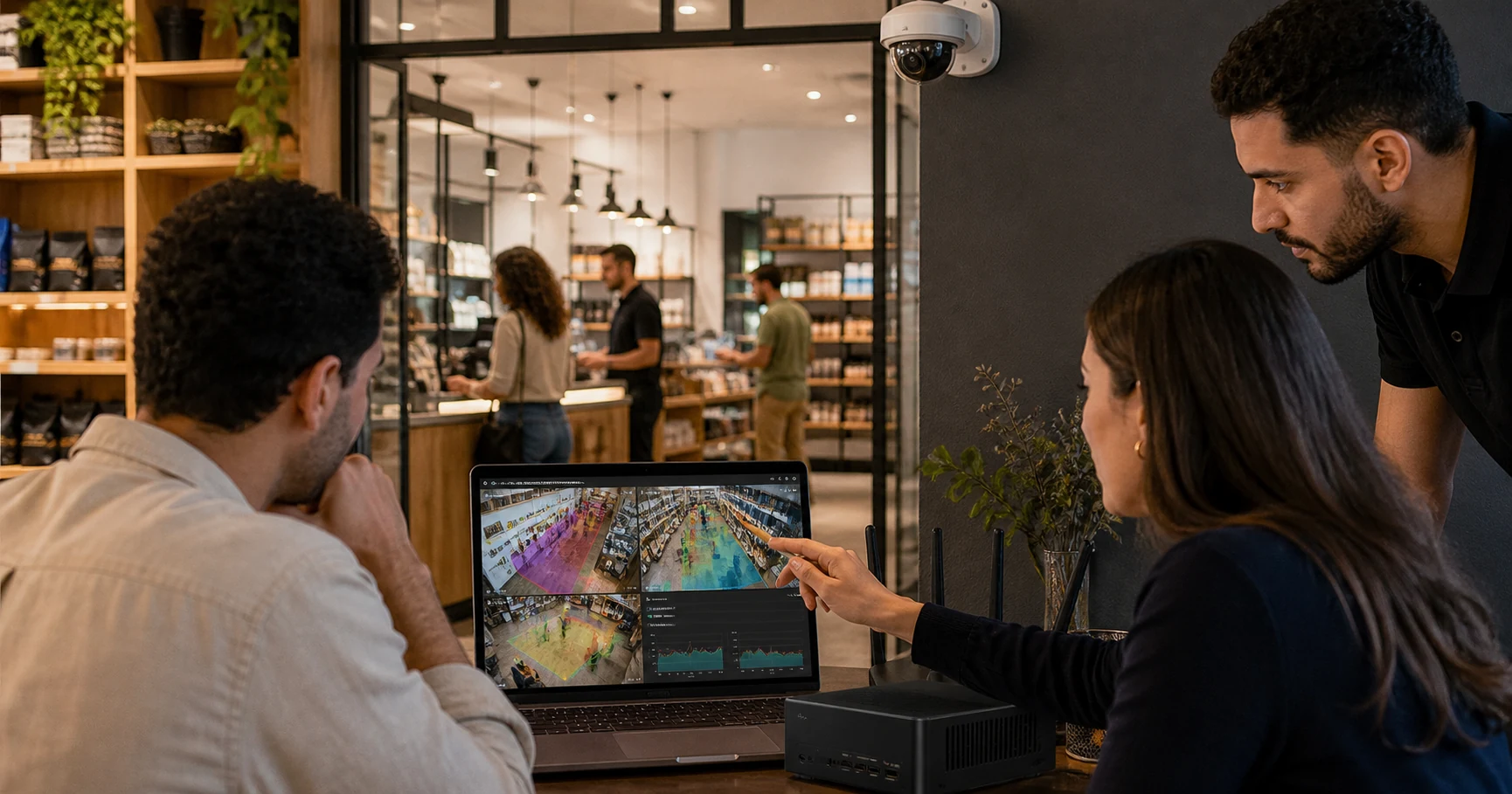
AI Camera Analytics Egypt: Retail Guide
AI camera analytics in Egypt lets retailers, restaurants, pharmacies, cafes, and small chains turn existing IP CCTV cameras into operational alerts and measurable store data. The practical first step is not a full camera replacement project; it is a narrow pilot that uses one to three useful camera views for queues, footfall, dwell time, and restricted-zone alerts.
For Egyptian operators, the strongest setup keeps video processing close to the store. A local edge machine can analyze the camera feed, send events and counts to a dashboard, and avoid making continuous cloud video upload the centre of the architecture.
What does AI camera analytics mean for an Egyptian store?
AI camera analytics is software that interprets video from a business camera and turns it into structured events. Instead of using CCTV only after an incident, the system detects patterns while they are happening.
For a retail or restaurant site, that can include:
- People counting at entrances
- Queue length and waiting-time alerts
- Dwell time around product displays or service areas
- Heatmaps for store layout decisions
- Restricted-zone alerts for stockrooms, kitchens, offices, or cash areas
- Loitering, intrusion, and after-hours movement alerts
- Event logs and weekly trend reports for managers
The buyer question is simple: which camera view can change a manager's decision today? If a checkout camera tells the shift lead when to open another till, that camera is valuable. If an entrance camera shows peak footfall by hour, that helps scheduling. If a stockroom camera sends a restricted-zone alert, that improves response time.
Should Egyptian retailers replace cameras or add analytics to existing CCTV?
Start with the current camera estate.
Many Egyptian stores already have IP cameras installed by a local CCTV supplier. If those cameras expose usable RTSP or ONVIF-compatible streams and cover the right zones, analytics software can often connect to them directly. That keeps the project smaller and avoids turning a software test into a procurement cycle for new cameras, cabling, recorders, and installation labour.
Replacing cameras may still make sense when the existing view is unusable, the camera is analogue-only, the angle misses the operational zone, or the site is already due for a refresh. But replacement should be a camera-quality decision, not the default requirement for adding AI.
The lowest-risk first step is usually:
- Choose one store.
- Pick one to three existing IP cameras.
- Confirm the camera view covers an operational decision.
- Run analytics locally for two weeks.
- Decide whether the alerts and reports changed staff action.
That sequence protects the operator from buying a broad system before proving one useful workflow.
Which retail and restaurant use cases should come first?
Do not begin with every detection type. Begin with the few events that need a human response.
For supermarkets and pharmacies, AI queue management for retail is often the first practical use case. The system watches the checkout or service counter, counts how many people are waiting, estimates wait pressure, and alerts the manager when the line crosses a threshold.
For cafes and quick-service restaurants, the useful zones are usually the ordering counter, pickup area, seating area, and kitchen or back-of-house entrance. The goal is not to identify individual customers. The goal is to know when service pressure is building, when tables stay occupied too long, or when a restricted area needs attention.
For specialty retail, the best starting points are entrances, high-value displays, fitting room corridors, stockrooms, and checkout. A dwell alert near a display can tell staff where customers need help. A stockroom alert can surface a security issue before someone reviews footage later.
Use this starter framework:
| Site type | First camera | First alert | Manager action |
|---|---|---|---|
| Cafe or QSR | Ordering counter | 4 people waiting for 3 minutes | Move one staff member to counter |
| Pharmacy | Service counter | 5 people waiting for 4 minutes | Open secondary service point |
| Supermarket | Checkout lane | 6 people waiting for 3 minutes | Open another register |
| Fashion retail | Product or fitting zone | Long dwell or repeated congestion | Assign floor staff |
| Convenience store | Stockroom or cash-office door | Restricted-zone entry | Check live alert and respond |
These thresholds are starting points. The first two weeks should tune noise, camera angle, and staffing response.
Why does local processing matter in Egypt?
Video from a business camera can include identifiable people. Egypt's Law No. 151 of 2020 on the Protection of Personal Data created a formal personal-data protection framework, and buyers should treat surveillance analytics as a privacy-sensitive workflow.
Local or edge processing helps reduce risk because raw video does not need to be continuously sent to a vendor cloud for standard analytics. The system can process frames on a Windows machine at the site, then sync operational metadata such as event type, camera, zone, timestamp, count, severity, and optional snapshots.
This matters for four reasons:
- Privacy: fewer raw video streams leave the business network.
- Bandwidth: multi-camera upload is not required for every frame.
- Latency: queue, intrusion, and restricted-zone alerts can fire quickly.
- Resilience: detection can continue locally if internet quality drops.
Cloud dashboards are still useful. Managers need remote access, trend reports, user permissions, and alert history. The important distinction is whether the cloud is used for management metadata or continuous raw video analysis.
What should Egyptian buyers ask vendors?
Use a buyer checklist before comparing AI video analytics software for existing cameras.
| Question | Why it matters |
|---|---|
| Can the system use our existing IP cameras? | Avoids unnecessary camera replacement. |
| Does AI processing run locally, in the cloud, or both? | Determines privacy, latency, and bandwidth exposure. |
| What happens if the internet connection drops? | Store alerts should not depend entirely on upload quality. |
| Are queue, footfall, dwell, heatmap, and restricted-zone alerts included? | Prevents feature-by-feature add-on surprises. |
| Can managers receive phone alerts without watching a dashboard all day? | The point is response, not another screen. |
| Are users, sites, and cameras priced clearly? | Multi-branch operators need expansion visibility. |
| Is face recognition required or optional? | Most retail operations need people movement, not identity. |
| Can reports export for weekly operations review? | Analytics should support decisions after the shift ends. |
Avoid vague vendor claims such as "AI-powered" without a workflow. The useful answer is more specific: which camera, which zone, which threshold, which alert recipient, and which management decision.
What does a two-week pilot look like?
A useful pilot is narrow, measurable, and tied to one store team.
During setup, choose a camera view that already sees the relevant area. A queue camera must see the actual line, not only the cashier. An entrance camera should avoid counting staff walking behind the counter. A stockroom camera should have a stable angle and lighting.
During week one, configure:
- Camera feed connection
- Detection zones
- Confidence thresholds
- Alert recipients
- Alert cooldowns
- Event severity
- Basic dashboard users
During week two, review:
- Number of useful alerts
- Number of noisy alerts
- Time of day for queues or congestion
- Staff response after alerts
- Missed events that should have alerted
- One change to staffing, layout, or process
The pilot succeeds only if the system creates a decision. A dashboard with attractive charts is not enough. The question is whether a manager opened a counter sooner, moved staff to a busy zone, spotted after-hours movement, or understood peak-hour patterns better than before.
How does Horus fit AI camera analytics in Egypt?
Horus is built for businesses that already have compatible IP cameras and want to add AI analytics without making cloud video upload the default workflow.
The Horus Windows edge agent processes video locally. The dashboard receives operational events, counts, alerts, health data, and optional snapshots rather than continuous raw footage. Retail teams can use the same platform for queue length, queue wait-time estimation, queue abandonment, customer counting, dwell time, zone occupancy, heatmaps, line crossing, and restricted-zone alerts.
That makes Horus a practical fit for Egyptian retail and restaurant operators who want to start with one real store, one to three useful cameras, and a two-week evaluation. It is not a fit for analogue-only camera estates with no IP stream, Linux-only sites with no Windows machine, or buyers whose primary requirement is face recognition.
This article does not quote Horus launch target prices because public pricing must match the verified live checkout and dashboard billing flow. When you are ready to evaluate Horus, use the live site and focus first on the operational camera views that can prove value.
FAQ
Can AI camera analytics work with existing CCTV in Egypt?
Yes, if the cameras are compatible IP cameras with usable streams such as RTSP. Existing-camera support lets a business test analytics without replacing every camera.
What should Egyptian retailers measure first?
Start with queues, entrance footfall, dwell time, stockroom entry, or restricted-zone alerts. These use cases create clear manager actions during a shift.
Does AI camera analytics need cloud video upload?
Not always. Horus processes video locally on a Windows edge machine and syncs operational metadata to the dashboard, so standard analytics do not require continuous cloud upload of raw footage.
Is AI camera analytics only for large chains?
No. A single-location store, cafe, pharmacy, or restaurant can start with one to three cameras. Multi-site analytics can come later after the first site proves useful.
Do retail analytics systems need face recognition?
Usually no. Queue, footfall, dwell, heatmap, occupancy, and restricted-zone workflows depend on movement and zones, not identifying individual customers.
Sources and further reading
- InfoTraff, "AI CCTV Analytics for Retail, F&B & Manufacturing | Egypt & MENA": https://infotraff.org/
- Enalytix, "Retail Analytics & People Counter": https://www.enalytix.com/retail
- Intelense, "AI-Powered Retail Analytics Platform Using CCTV": https://www.intelense.com/retail-analytics
- Library of Congress, "Egypt: Law on Personal Data Implemented": https://www.loc.gov/item/global-legal-monitor/2025-01-29/egypt-law-on-personal-data-implemented/
- ILO NATLEX, "Egypt - Law 151/2020 on the Protection of Personal Data": https://www.ilo.org/dyn/natlex/natlex4.detail?p_classification=01&p_count=7&p_isn=111246&p_lang=en
- Horus AI video analytics software: https://horusapp.io/ai-video-analytics-software/
If you want to test AI analytics on compatible existing cameras while keeping video processing on-site, start your 14-day trial.