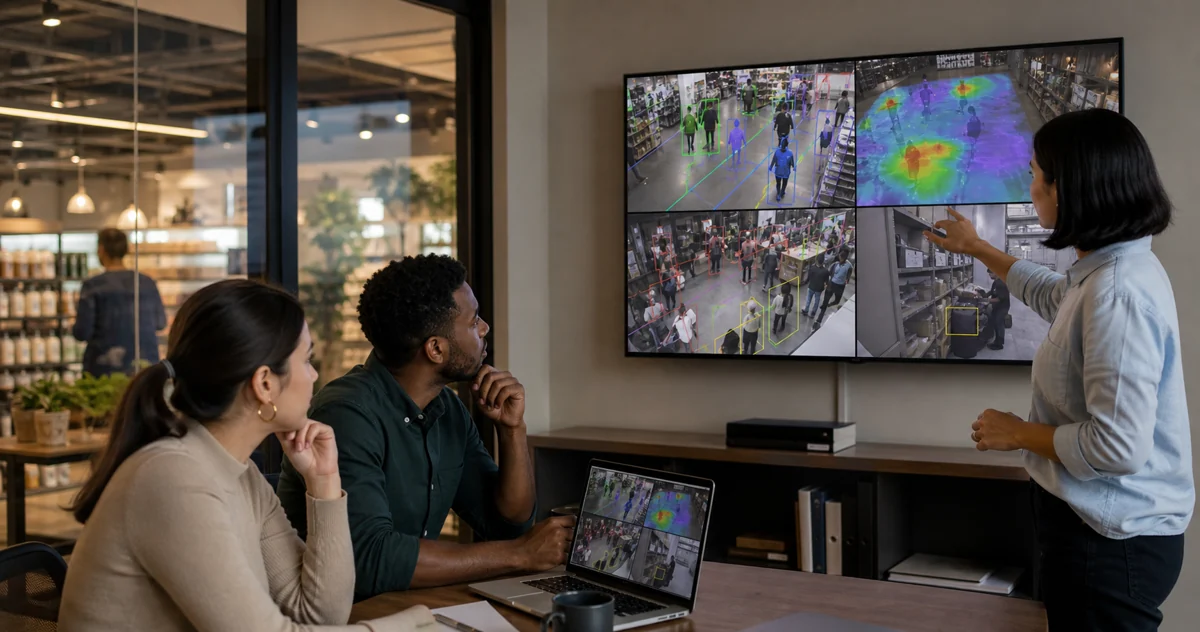
Cloud Based Video Analytics: Buyer Guide
Cloud based video analytics uses remote servers to process, store, or manage insights from camera footage. It can be useful for multi-site access and lower on-site IT overhead, but it is not always the best architecture for real-time CCTV analytics because raw video, bandwidth, latency, privacy, and internet reliability all matter.
For retail and restaurant operators, the right question is not "cloud or no cloud?" It is "Which parts of the workflow should run locally, and which parts should be managed from the cloud?" In many existing-camera deployments, the strongest answer is hybrid: process video on-site, then send events, counts, alerts, and dashboard metadata to a cloud dashboard.
What is cloud based video analytics?
Cloud based video analytics means camera footage or video-derived data is sent to a vendor-managed cloud platform where AI models detect people, vehicles, queues, dwell time, unusual events, or other patterns. The results are then shown in a web dashboard, mobile app, API, or alert feed.
The cloud model usually includes some combination of:
- remote camera management;
- centralized video storage or retention;
- AI inference running in the provider's cloud;
- dashboard access across multiple sites;
- automatic software and model updates;
- user management, audit logs, and alert routing.
That model can be attractive when a business has many small sites, limited local IT, and a strong internet connection. It can also make sense when analytics are not time-critical or when the business already accepts cloud video storage as part of its security model.
But cloud based video analytics is not one thing. Some systems upload full video continuously. Some upload clips only after an event. Some process on the camera or local recorder, then use the cloud for remote viewing. Some, like Horus, process the video on the customer's Windows machine and send operational metadata to the cloud dashboard.
The distinction matters because buyers often compare "cloud" and "on-premise" too broadly. A cloud dashboard does not require cloud video processing. A local AI engine does not prevent remote management. The best architecture separates the heavy, sensitive video stream from the lighter operational data a manager needs to act.
When is cloud video analytics a good fit?
Cloud video analytics can be a good fit when convenience is the dominant requirement.
If a chain has many small branches and each branch has only one or two cameras, cloud management can reduce the need for site-by-site maintenance. A head office can manage users, review alerts, and compare basic activity across locations without logging into separate recorders.
Cloud also helps when a business wants the vendor to handle updates. AI models, dashboard features, security patches, and integrations can improve without local IT staff touching every machine.
For non-sensitive use cases, cloud storage may also simplify retention. A regional manager can pull incident clips from anywhere, and the business does not need to maintain local disks at every site.
Those advantages are real. The problem is that many retail and restaurant analytics workflows have constraints that cloud-first pages understate: checkout queues need fast alerts, stockroom entries may involve sensitive footage, GCC sites may have uneven upload bandwidth, and smaller operators may already own good CCTV infrastructure they do not want to replace.
What are the risks of cloud based video analytics?
The first risk is bandwidth. A single camera stream may look small in isolation. Multiply it by several cameras, long opening hours, and multiple locations, and continuous upload becomes an operating cost and reliability risk. If the internet connection is weak, cloud inference can become delayed or unavailable at the exact moment the manager needs an alert.
The second risk is privacy. Retail cameras may capture customers, employees, payment counters, stockrooms, back offices, and delivery areas. For footfall, dwell, queue, and occupancy analytics, the system usually does not need to identify people or upload raw footage continuously. It needs to detect movement, count people, measure time in zones, and trigger rules.
The third risk is latency. A weekly dashboard can tolerate delay. A stockroom intrusion alert or a checkout queue alert cannot. When the action is "open another till now" or "check the restricted area now," local processing is usually the safer default.
The fourth risk is lock-in. Some cloud video systems work best with proprietary cameras, recorders, or subscriptions. If the business already owns Hikvision, Dahua, Axis, or mixed IP cameras, the better buyer path may be analytics software that works with existing RTSP-compatible streams.
How should retail and restaurant buyers compare cloud, edge, and on-premise?
Use a five-question evaluation instead of a generic feature checklist.
| Question | Cloud-first answer | On-site or hybrid answer |
|---|---|---|
| Does raw video need to leave the site? | Often yes, depending on provider | No, if inference runs locally |
| What happens if internet quality drops? | Analytics may degrade or remote access pauses | Local detection can continue |
| How fast must alerts arrive? | Good for many dashboards; variable for real-time alerts | Better for immediate queue, safety, and intrusion events |
| Do we already have usable IP cameras? | May require compatible cloud cameras or gateways | Existing RTSP/IP cameras can often be reused |
| Who manages updates and reporting? | Vendor-managed cloud | Hybrid cloud dashboard can still manage reporting |
For a cafe, supermarket, pharmacy, QSR, or mall tenant, the most practical first test is narrow. Pick one entrance camera, one checkout camera, and one stockroom or back-of-house camera. Then measure whether the system can answer three operating questions:
- When do customers arrive by hour?
- When does a queue become long enough to require staff action?
- When does a restricted area need an immediate alert?
If those answers arrive quickly and reliably without sending raw video to a third-party cloud, the architecture is probably strong enough to expand.
What is the best architecture for GCC and MEA operations?
For many GCC and MEA operators, hybrid is the most practical architecture: local video processing with cloud dashboard access.
The local side handles the sensitive and heavy work. AI runs near the camera feed, so raw video can stay on the business's own Windows machine or local network. That reduces sustained upload bandwidth and keeps real-time alerts less dependent on the internet.
The cloud side handles the management layer. Owners, area managers, and operations leads can still see alerts, counts, trends, service health, and historical analytics from a browser. The dashboard receives event metadata rather than needing every raw video frame.
This is the Horus model. Horus connects to compatible existing IP cameras, runs AI processing on the customer's Windows machine, and sends operational events and service health data to the dashboard. For retail and restaurant operators, that means the same camera estate can support footfall analytics, queue monitoring, dwell zones, heatmaps, stockroom alerts, and manager notifications without replacing the cameras or continuously uploading footage.
What should you ask vendors before buying?
Ask these questions before choosing a cloud based video analytics system:
- Does the system upload raw video continuously, only event clips, or metadata only?
- Can it work with existing IP/RTSP cameras, or does it require new proprietary cameras?
- Where does AI inference run: camera, local server, local PC, vendor cloud, or mixed?
- What happens to detection and alerts when internet access is unstable?
- Which data is stored in the cloud, for how long, and in which region?
- Can managers configure zones for entrances, queues, aisles, counters, and stockrooms?
- Are alerts immediate enough for operational action, or mainly useful for reporting?
- What hardware is required on-site?
- Is pricing tied to cameras, users, events, retention, cloud storage, or compute?
- Can the business export event history for operational review?
The vendor should answer these plainly. If the answer is vague, the buyer should assume raw video, storage, and recurring costs need closer inspection.
Is Horus cloud based video analytics?
Horus is not a cloud-only video analytics platform. It is a hybrid AI camera analytics platform for existing business cameras.
The video processing runs on the customer's Windows machine. Camera footage is not uploaded to the Horus cloud in the standard product workflow. The dashboard receives operational metadata such as events, counts, timestamps, zones, alerts, service health, and optional snapshots.
That gives operators the useful part of cloud software: remote dashboard access, reporting, user access, and alert history. It keeps the sensitive and bandwidth-heavy part, the camera video stream, on-site.
For retail and restaurant teams evaluating cloud based video analytics, that distinction is the key buyer lesson. You can get cloud-style visibility without making cloud video upload the center of the architecture.
FAQ
Is cloud based video analytics cheaper than on-premise?
Sometimes. Cloud systems can reduce upfront hardware costs, but the long-term cost depends on camera count, retention, cloud storage, bandwidth, and per-camera subscription fees. For existing-camera retail analytics, a hybrid system can lower replacement cost while keeping cloud dashboard benefits.
Does video analytics need to upload footage to the cloud?
No. Video analytics can run on a local PC, server, appliance, NVR, or camera. The cloud can still receive metadata and alerts without continuously receiving the raw video stream.
What is better for queue analytics: cloud or local processing?
For real-time checkout and service-counter alerts, local processing is usually stronger because it reduces dependency on internet upload quality. Cloud dashboards remain useful for reviewing trends and comparing sites.
Can cloud based video analytics work with existing CCTV?
Some systems can, but buyers should verify RTSP or ONVIF compatibility, gateway requirements, camera-brand restrictions, and whether the system needs new cloud-managed cameras. Horus is designed for compatible existing IP cameras.
Sources and further reading
- CamCentral Systems, "Cloud vs on-premise video surveillance" (2026): https://camcentral.net/cloud-vs-on-premise-video-surveillance/
- SecurityInfoWatch, "Video Analytics: Edge vs. Cloud vs. On-Prem" (2023): https://www.securityinfowatch.com/video-surveillance/video-analytics/article/53061512/video-analytics-edge-vs-cloud-vs-on-prem
- IncoreSoft, "Cloud Video Analytics: Pros and Cons" (2026): https://incoresoft.com/cloud-video-analytics/
Cloud based video analytics is useful when the cloud is handling the right work. If you want to test AI analytics on your existing cameras while keeping video processing on-site, Start your 14-day trial.