Queue Analytics Waiting Time: Retail Guide
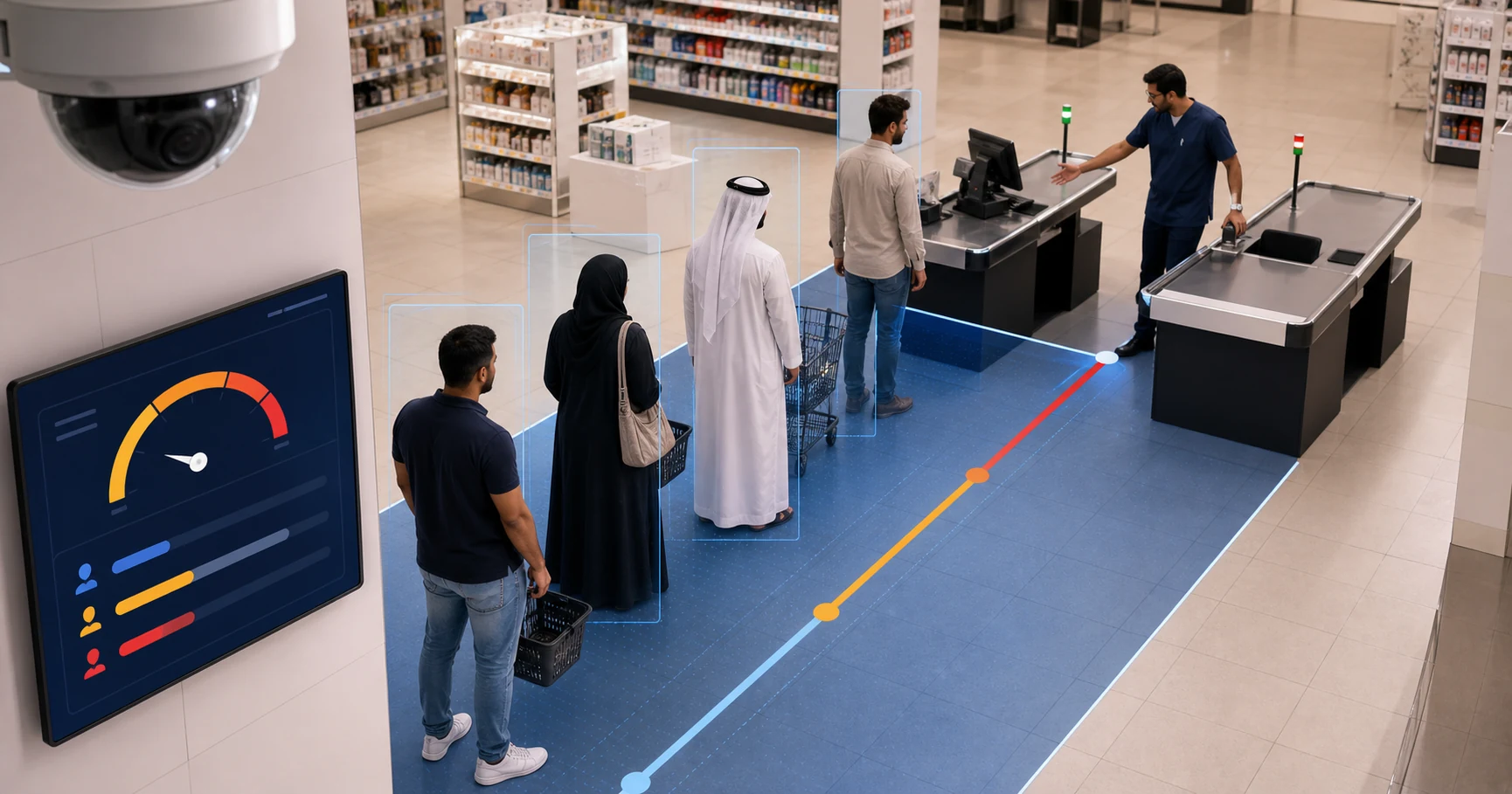
Queue analytics waiting time measures how long customers spend in a checkout or service line, then turns that signal into a staffing action. For many retailers, the practical version is camera-based: use existing CCTV to count people in a queue zone, estimate how long the line has persisted, and alert a manager before customers abandon the purchase.
The point is not to create another dashboard. The point is to answer a simple operating question: when is the line long enough, for long enough, that someone should open another register or move staff to the counter?
What does queue analytics waiting time measure?
Queue analytics waiting time measures the delay between a customer joining a queue and the queue clearing enough for service. In physical retail, the most useful system usually tracks three related signals:
- Queue length: how many people are waiting
- Queue duration: how long the queue has stayed above a threshold
- Queue clearance: how quickly the queue returns to normal after staff act
Queue length alone is not enough. A supermarket with six people waiting for 30 seconds may be fine. A pharmacy with four people waiting for six minutes may have a real service problem. The useful metric is the combination of count, duration, and context.
This is where waiting-time analytics becomes more valuable than a manager's memory. It shows whether the store has a daily 7pm bottleneck, a Friday prayer-time rush, a mall event spike, or a promotion-driven queue that should have been staffed differently.
How does camera-based waiting-time analytics work?
Camera-based queue analytics starts by defining a queue zone in the camera view. That zone might cover a checkout lane, pharmacy counter, service desk, pickup area, or cafe till.
Computer vision then detects people in the zone and tracks the queue state over time. The system does not need to identify faces. It needs to know that people are present, that the line has grown, and that the queue has persisted past a rule.
For example:
- Checkout 1 has 2 people for 90 seconds: no alert
- Checkout 1 has 6 people for 3 minutes: alert
- Checkout 1 clears within 5 minutes after the alert: response worked
- Checkout 1 repeats the same pattern every Thursday evening: schedule issue
Retail analytics research has shown why this matters. Computer vision models can detect and track customers from ordinary retail camera footage, then produce visitor counts, heat maps, and movement patterns. For queue management, the same basic operating idea becomes more focused: draw the zone, count the queue, time the delay, and alert the manager.
Why is waiting time more useful than footfall alone?
Footfall tells you demand arrived. Queue waiting time tells you whether the store handled that demand.
A busy store is not automatically an inefficient store. A quiet store is not automatically well-run. The real question is whether service capacity matched customer flow at the moments that mattered.
That distinction is important for MEA and Gulf retailers because many shops run lean teams and operate through short peak windows. A cafe in Cairo, pharmacy in Dubai, supermarket in Riyadh, or electronics store in Kuwait may not need another permanent cashier. It may need better redeployment during a 20-minute rush.
Queue analytics waiting time helps managers avoid two bad choices:
- Understaffing: customers wait, abandon baskets, complain, or do not return
- Overstaffing: staff sit idle during slow hours because the rota was built from guesswork
The better path is threshold-based response.
What thresholds should a retailer start with?
Start with simple rules and tune them after two weeks.
| Store format | Starter alert threshold | First manager action |
|---|---|---|
| Cafe or quick-service counter | 4 people for 3 minutes | Move one person to counter service |
| Pharmacy | 5 people for 4 minutes | Open the secondary service point |
| Supermarket | 6 people for 3 minutes | Open another register |
| Electronics or telecom store | 3 people for 5 minutes | Assign a greeter to triage customers |
| Mall service desk | 8 people for 5 minutes | Activate overflow queue process |
These thresholds are not universal. They are starting assumptions. If alerts fire too often and staff ignore them, raise the threshold. If customer complaints happen before alerts fire, lower it.
The operational test is not whether the number is mathematically perfect. The test is whether the alert changes behavior quickly enough to reduce the wait.
What should a queue alert include?
A good queue alert should tell the manager what happened, where it happened, and what action is likely needed.
Weak alert: "Queue detected."
Useful alert: "Checkout 2: 6 people waiting for 4 minutes. Open another register or move staff from aisle support."
The best queue analytics systems then close the loop. Did the queue clear after the alert? How long did it take? Did the same zone trigger repeatedly at the same hour? That feedback turns queue management from a one-off notification into a staffing improvement system.
How should a retailer run a two-week pilot?
Use one store, one queue zone, and one manager action.
Week 1 should test detection quality:
- Is the checkout area clearly visible?
- Does the queue zone include the actual waiting line?
- Are staff, carts, shelves, or nearby aisles causing false positives?
- Are alerts arriving quickly enough to be useful?
Week 2 should test operating value:
- Did managers act on the alerts?
- Did the queue clear faster after alerts?
- Which hours generated repeated queue events?
- Did the findings suggest a schedule change?
Avoid overbuilding the first pilot. One queue camera and one clear rule will teach more than a complex rollout across every register.
Does waiting-time analytics require new cameras?
Not always. If the existing IP camera covers the queue clearly and provides a usable video stream, a retailer can often pilot queue analytics without replacing the camera estate.
That is especially useful in Egypt, UAE, Saudi Arabia, Kuwait, and the wider GCC, where many SMB retailers already have Hikvision, Dahua, Axis, or mixed CCTV systems installed by local partners. The lowest-friction path is usually to add analytics to the current camera feed before buying new hardware.
Horus is designed around that model. It connects to existing IP cameras, runs AI inference on a Windows edge agent on the customer's premises, and sends alerts and analytics metadata to the web dashboard. Video stays on-site.
What about privacy?
Queue analytics should be built around operational measurement, not identity.
For waiting-time analytics, the system needs to know that people are waiting in a defined area. It does not need face recognition, names, demographics, or cloud video storage. The operational questions are:
- How many people are waiting?
- How long has the line existed?
- Did the queue clear after the alert?
- Which hours need better staffing?
That makes on-premise processing important. With Horus, video is processed locally, and the dashboard receives detection metadata, counts, alerts, and optional snapshots rather than continuous raw footage. This gives retailers useful queue intelligence while keeping sensitive camera video under local control.
What should managers review each week?
At the end of each week, review five numbers:
- Total queue events
- Average queue duration
- Peak queue hour
- Average response time after alert
- Percentage of queues cleared within the target time
Then compare those against staff schedules and sales patterns. If the same two-hour window creates most queue alerts, the rota needs adjustment. If alerts fire but queues do not clear, the issue may be authority, training, or register availability rather than detection quality.
Queue analytics waiting time is only valuable when it changes a decision.
How does Horus help with queue analytics waiting time?
Horus helps retailers turn existing CCTV into retail queue analytics without replacing cameras or sending video to the cloud. Store teams can draw zones around checkout or service areas, set queue thresholds, receive real-time alerts, and review trend data in the dashboard.
For buyers comparing AI video analytics software, the important difference is deployment fit. Horus is built for existing IP cameras, on-premise video processing, and practical manager alerts. Retailers that already read the broader AI queue management for retail guide can use this waiting-time framework as the pilot plan.
FAQ
What is queue analytics waiting time?
Queue analytics waiting time is the measurement of how long customers wait in a checkout or service line, usually combined with queue length and alert thresholds.
Can waiting-time analytics use existing CCTV?
Yes, if the camera has a clear view of the queue and provides a usable IP stream. Horus is designed to work with existing IP cameras, so retailers can pilot queue analytics before buying new hardware.
Does queue analytics require face recognition?
No. Queue analytics can count people and measure queue duration in a defined zone without identifying individual customers.
What is a good queue waiting-time threshold?
Start with a rule such as 5-6 people waiting for 3-4 minutes in a supermarket, then tune it during the first two weeks based on alert noise and customer response.
How does queue analytics reduce cost?
It helps managers redeploy staff during real queue pressure instead of permanently overstaffing every hour. Weekly queue patterns also improve scheduling.
Is Horus suitable for MEA and Gulf retailers?
Yes. Horus supports existing IP cameras, on-premise video processing, retail queue monitoring, wait-time estimation, queue abandonment detection, entrance counting, dwell time, and multi-location analytics.
Sources
- Horus blog listing checked on 2026-07-14: https://horusapp.io/blog/
- Retail analytics research result: https://arxiv.org/abs/2405.00023
- Queueing theory background: https://en.wikipedia.org/wiki/Queueing_theory
- Virtual queue background: https://en.wikipedia.org/wiki/Virtual_queue
See what your cameras can do with Horus -> https://horusapp.io/