How to Use CCTV for Retail Analytics
You use CCTV for retail analytics by connecting existing IP cameras to video analytics software, defining zones such as entrances, aisles, checkout lines, and stockrooms, then turning movement in those zones into operating metrics. The useful outputs are footfall, dwell time, queue pressure, occupancy, heatmaps, and alerts that help managers staff, merchandise, and protect the store.
The important shift is this: CCTV stops being only a recording system. It becomes a live operations signal. A supermarket, pharmacy, cafe, electronics shop, or mall tenant can learn when customers enter, where they wait, which zones are ignored, and when staff need to respond.
What retail analytics can CCTV measure
CCTV retail analytics should start with a small set of measurements that change decisions.
Footfall counts how many people enter or leave the store. This helps store teams compare traffic by hour, day, campaign, weather, mall event, or season.
Dwell time measures how long customers remain in a zone. In practice, this shows whether a promotion table, pharmacy counter, service desk, or premium display is attracting useful attention.
Queue analytics measures how many people are waiting, how long the line persists, and whether the queue clears after staff respond. This is often the fastest retail operations win because the manager action is obvious: open another register, move staff to the counter, or triage customers before they leave.
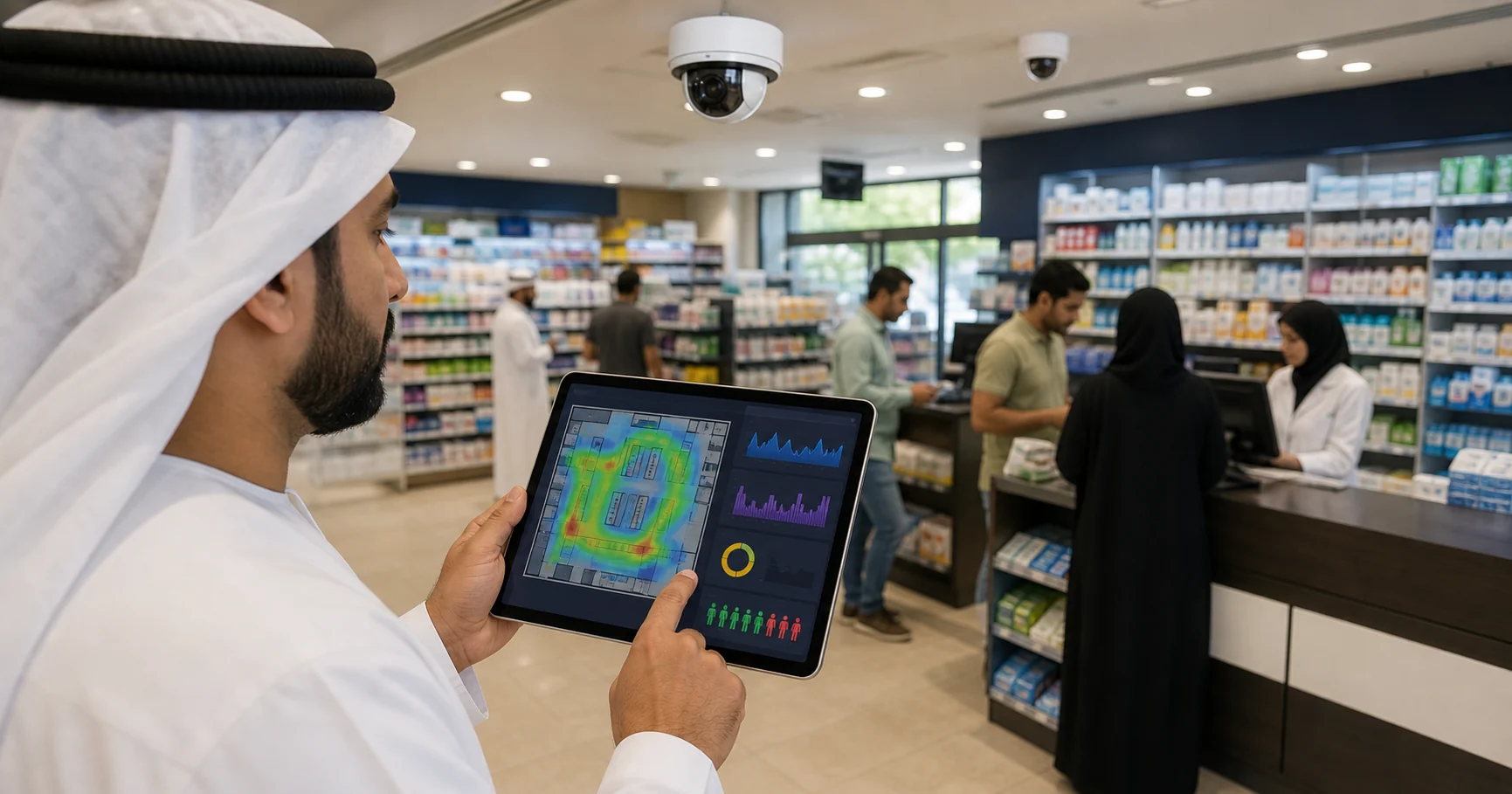
Heatmaps show where customers spend time and where they rarely go. The output helps with store layout, product placement, dead-zone detection, and tenant or category planning.
Restricted-zone and stockroom alerts turn retail CCTV into a loss-prevention tool. The same camera estate can alert when someone enters a staff-only area, lingers near high-value goods, or crosses a line after closing.
Which cameras should you start with
Do not connect every camera on day one. Pick the camera views that answer specific retail questions.
Use this five-camera pilot map:
| Camera view | Retail question | Metric | First action |
|---|---|---|---|
| Entrance | When do customers arrive? | Footfall by hour | Adjust staffing windows |
| Checkout | Are lines forming? | Queue length and duration | Open another till |
| Feature display | Do shoppers stop here? | Dwell time | Change display or offer |
| Main aisle | Where do people move? | Flow and heatmap | Fix layout dead zones |
| Stockroom door | Is access controlled? | Restricted entry events | Alert manager or security |
For a first pilot, one entrance camera and one checkout camera are enough. If those views create useful decisions within two weeks, expand to dwell and heatmap zones. If they do not, fix camera angle, lighting, zone placement, or staff process before adding more cameras.
How does CCTV become usable analytics
The workflow is simple, but each step matters.
First, confirm that the cameras expose usable IP streams such as RTSP or ONVIF. Many retailers in Egypt, UAE, Saudi Arabia, Kuwait, and the wider GCC already have Hikvision, Dahua, Axis, or mixed IP camera systems installed by local CCTV partners. If the view is clear, analytics can often run without camera replacement.
Second, connect the camera feed to an analytics engine. Horus uses a Windows edge agent that processes video locally, then sends structured event metadata to the dashboard.
Third, draw zones on the camera view. A zone might be an entrance line, a checkout queue box, a high-value product area, a stockroom threshold, or a cafe pickup counter.
Fourth, set thresholds. A checkout alert might trigger when six people wait for three minutes. A dwell alert might trigger when several customers stop at a display but no staff member engages them. A stockroom rule might trigger any after-hours entry.
Fifth, review the weekly pattern. The goal is not to watch another dashboard all day. The goal is to change the rota, open the right register, reposition a product display, or respond to an exception faster.
Why existing-camera analytics matters for retail
Many retail analytics tools assume new sensors, new cameras, or a full enterprise rollout. That can work for large chains, but it slows down smaller operators that already have cameras and need evidence quickly.
Existing-camera analytics lowers the risk because the retailer can test value before replacing infrastructure. A store can start with two camera views, one Windows PC, and a narrow operating question. The decision becomes measurable: did the alerts and reports create better action than the old CCTV setup?
This is especially relevant in MEA and Gulf retail. Stores may have good camera coverage but lean staff, short peak windows, and mobile-first managers. The strongest analytics setup is the one that fits the current site, not the one that requires a procurement project before the first useful signal appears.
What about privacy and cloud video
Retail CCTV records customers, staff, and sometimes sensitive operating areas. Analytics should therefore measure behavior patterns without turning the store into an identity system.
For footfall, dwell, queue, and occupancy analytics, the system does not need facial recognition. It needs to detect people, count movement, measure time in zones, and trigger rules. That can be done without identifying individual shoppers.
On-premise processing reduces the privacy and bandwidth footprint. With Horus, video is processed on the customer's Windows machine. The dashboard receives metadata such as event type, camera, zone, count, timestamp, alert severity, and optional snapshot. Raw video does not need to be continuously uploaded to the Horus cloud.
That architecture is useful for retailers that care about customer privacy, internet reliability, bandwidth cost, and control over camera footage.
How to run a two-week CCTV analytics pilot
Week one should prove detection quality.
Connect one entrance camera and one checkout camera. Draw the entrance line and checkout queue zone. Set starting thresholds. Watch for false positives caused by staff paths, reflections, display stands, carts, or camera angle. Tune the zones until the events match what a manager sees on the floor.
Week two should prove operating value.
Review traffic by hour. Compare queue alerts with staffing schedules. Note whether managers acted on alerts and whether the queue cleared after action. For dwell zones, compare the hot and cold areas against merchandising assumptions. For stockroom alerts, check whether the alert route reaches the person who can respond.
At the end of the pilot, answer five questions:
- Which hour had the highest footfall?
- Which queue threshold produced useful alerts?
- Which zone had high dwell but low sales attention?
- Which camera view was not useful enough?
- Which staff action should change next week?
If those questions are answered, the pilot worked.
What should buyers compare before choosing software
Start with deployment fit. Does the software work with your current IP cameras, or does it require a full camera replacement?
Then check processing location. If the system uploads continuous footage to the cloud, ask whether that is necessary for the retail use case. For many stores, local video processing plus dashboard metadata is enough.
Check alert quality. A useful alert says what happened, where it happened, and what the manager should do. "Queue detected" is weak. "Checkout 2 has six people waiting for four minutes" is operational.
Check reporting. A weekly report should show footfall peaks, queue events, dwell zones, and repeated exceptions. Otherwise, the store still relies on memory.
Check regional fit. MEA and GCC teams may need English and Arabic surfaces, mobile-friendly alerts, local installer compatibility, and a rollout that works with existing camera brands.
How Horus helps retailers use CCTV for analytics
Horus turns existing CCTV into retail analytics with existing CCTV by connecting compatible IP cameras to a local Windows edge agent. Retail teams can draw zones, monitor queues, count footfall, review dwell and heatmap patterns, and send manager alerts without replacing the camera estate.
For buyers comparing AI video analytics software, the main difference is the deployment model: existing cameras, on-premise video processing, and cloud dashboard access for structured analytics. Retailers that need a deeper queue workflow can also use the AI queue management with existing CCTV guide as the next step.
FAQ
Can existing CCTV be used for retail analytics?
Yes, if the cameras expose a usable IP stream and the view covers the retail zone clearly. Existing CCTV can support footfall, dwell, queue, occupancy, heatmap, and restricted-zone analytics without replacing every camera.
Does retail analytics require face recognition?
No. Most retail analytics use cases need people detection, counting, zone timing, and movement patterns. They do not require identifying individual shoppers.
What is the first camera to use for retail analytics?
Start with the entrance camera if the goal is footfall, or the checkout camera if the goal is queue reduction. These views create the clearest early operating decisions.
How long should a CCTV retail analytics pilot run?
Run a focused two-week pilot. Use week one to tune detection quality and week two to test whether alerts and reports change staffing, queue response, or merchandising decisions.
Is CCTV retail analytics useful for small stores?
Yes, when the pilot is narrow. A single-location retailer can start with one or two useful views rather than a full-store rollout.
Does Horus upload retail CCTV video to the cloud?
No. Horus processes video locally on the customer's Windows machine and sends event metadata to the dashboard. Raw video does not need to be continuously uploaded.
Sources and further reading
- CountPort retail analytics overview: https://countport.com/
- Intelense retail analytics using CCTV: https://www.intelense.com/retail-analytics
- IncoreSoft retail video analytics glossary: https://incoresoft.com/retail-video-analytics/
- Horus AI queue management with existing CCTV: https://horusapp.io/blog/ai-queue-management-for-retail/