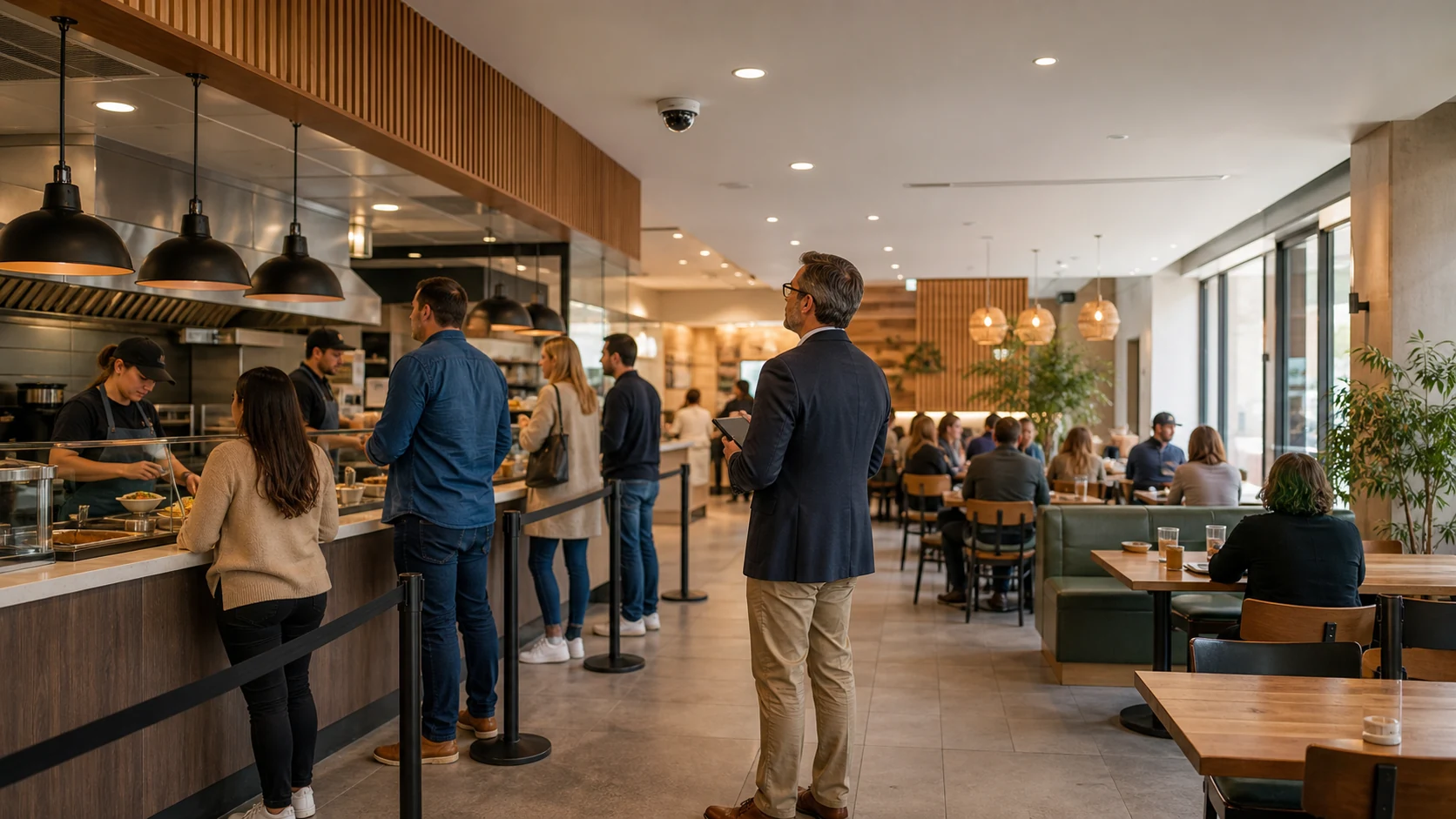
Restaurant Video Analytics: Buyer Guide for Operators
Restaurant video analytics is software that analyzes existing restaurant CCTV or IP-camera feeds and turns customer movement and zone activity into operational signals such as footfall, occupancy, dwell, queue length, wait time, and alerts. For an operator, the buying question is whether those signals arrive privately and clearly enough to change staffing or service decisions without replacing the camera estate.
The useful system is not a screen full of detections. It is a short path from camera view to manager action: a queue stays above its threshold, the right person is notified, and the team records what changed. That makes the technology relevant to cafés, quick-service restaurants, food courts, and small restaurant groups as well as larger multi-site operators.
What does restaurant video analytics measure?
Start with the operating problem, then choose the camera zone and metric. A restaurant does not need every possible analytics feature on day one.
| Operating question | Camera zone | Useful signal | Possible action |
|---|---|---|---|
| When does demand peak? | Entrance or storefront | Entries, exits, and occupancy by time period | Adjust shift coverage, prep, or counter staffing |
| When is service under pressure? | Ordering counter or collection point | Queue length, wait-time estimate, and queue persistence | Move staff, open another service point, or investigate a bottleneck |
| Which seating areas are underused? | Dining area | Occupancy, dwell, and movement paths | Review layout, section coverage, or service flow |
| Where does a safety or access issue occur? | Restricted or back-of-house zone | Intrusion, line crossing, loitering, or occupancy alert | Give the responsible manager a time-stamped event to review |
This is the practical difference between people counting and restaurant operations analytics. Counting is the measurement layer; the value comes from connecting the number to a decision. For more detail on the camera and zone setup, see this guide to people counting from CCTV.
Which restaurant use cases should you evaluate first?
For most operators, the best first use case is the one with a visible trigger and an owner who can respond during the same shift.
Queue monitoring is a strong starting point for counter-service restaurants. A manager can define a queue zone, observe how long pressure persists, and use an alert to decide when to reallocate staff. The measurement is not a promise that every abandoned order will be recovered; it is a way to make service pressure visible before it becomes a complaint or a walkout.
Footfall and occupancy help with staffing and trading patterns. Entrance counts show when customers arrive, while occupancy and dwell show how demand is distributed inside the venue. These signals should be compared with the operator's own sales, roster, and service records rather than treated as a revenue number by themselves.
Seating and movement analytics can reveal a layout or flow problem. A long dwell time near a service point may indicate engagement, congestion, or both. The operator still needs to interpret the context, but the camera provides a repeatable observation instead of relying only on occasional floor walks.
Safety and restricted-zone alerts are a separate operational lane. They can help a team notice movement across a configured line or activity in a restricted area without requiring someone to watch every feed continuously. Keep this distinct from facial recognition: the common queue, footfall, occupancy, and zone workflows do not require identifying individual guests.
Can you use existing restaurant CCTV?
Often, yes, if the camera view is suitable and the system supports the feed format. Before buying, check the camera angle, lighting, occlusion, stream stability, and whether people cross the zone in a way the software can interpret. A ceiling camera aimed at a crowded service point may be useful for occupancy but poor for separating individual movements; a side-on view may create the opposite trade-off.
Horus is designed for compatible IP/RTSP cameras and runs video processing on a Windows PC at the customer's premises. The standard workflow sends operational events and service-health data to the cloud dashboard, not raw video footage. That edge-plus-dashboard model is useful for US and UK operators evaluating existing security cameras, and for European teams that need to ask specific questions about privacy, retention, access, and local processing.
The Windows requirement and local compute plan belong in the buying checklist. A compatible camera alone is not enough: the operator also needs a supported on-site PC, a stable camera stream, and someone who can configure zones and decide which alerts deserve attention.
What should a restaurant buyer compare?
Use five questions to compare vendors:
- Does it work with the cameras already installed? Confirm IP/RTSP compatibility, camera placement, stream access, and whether the vendor requires proprietary cameras or gateways.
- Where is raw video processed? Ask what stays on site, what metadata leaves the building, what is retained, and who can access it. For UK and European deployments, add the operator's own GDPR, signage, lawful-basis, and retention review.
- Which signals are live today? Separate counting, queue, dwell, occupancy, alerts, POS correlation, kitchen compliance, and integrations. A vendor page can describe an industry possibility without that feature being included in your chosen plan.
- How does an alert reach the person who can act? Check Telegram, email, mobile-responsive dashboard access, severity, cooldowns, exports, and role permissions. An alert that no one owns is just another notification.
- Can the operator run a narrow, measurable pilot? Start with one entrance, one queue or service zone, or one seating area. Define what will change if the signal is useful.
For a broader overview of the deployment model, capabilities, and buyer questions, see AI video analytics software for existing cameras. For the restaurant-facing operational context, the retail AI camera analytics page covers customer counting, queue monitoring, dwell, occupancy, and related store workflows that can apply to cafés and restaurants.
How should you run a restaurant analytics pilot?
Use a two-week review across normal trading days, including at least one busy period. Keep the scope small:
- Choose one operating question, such as “When should another person move to the counter?”
- Select the camera view that can answer it and record obvious blind spots.
- Configure one or two zones with a threshold the manager understands.
- Record the alert, the action taken, and whether the signal was useful.
- Review false alerts, missed context, and whether the metric changed a staffing, queue, seating, or safety decision.
The output should be a decision, not a vanity dashboard. Keep the system if it creates a repeatable operating signal with acceptable effort and privacy controls. Change the zone or camera if the view is the problem. Stop expanding if the team cannot identify who acts on the alert.
Restaurant video analytics is worth evaluating when the business already has cameras but still relies on manual observation to understand queues, traffic, seating, or restricted areas. The strongest first deployment is narrow, existing-camera compatible, privacy-aware, and tied to a decision a manager can make during the shift.
Start your 14-day trial with a compatible camera and evaluate the signals against your own operating workflow.