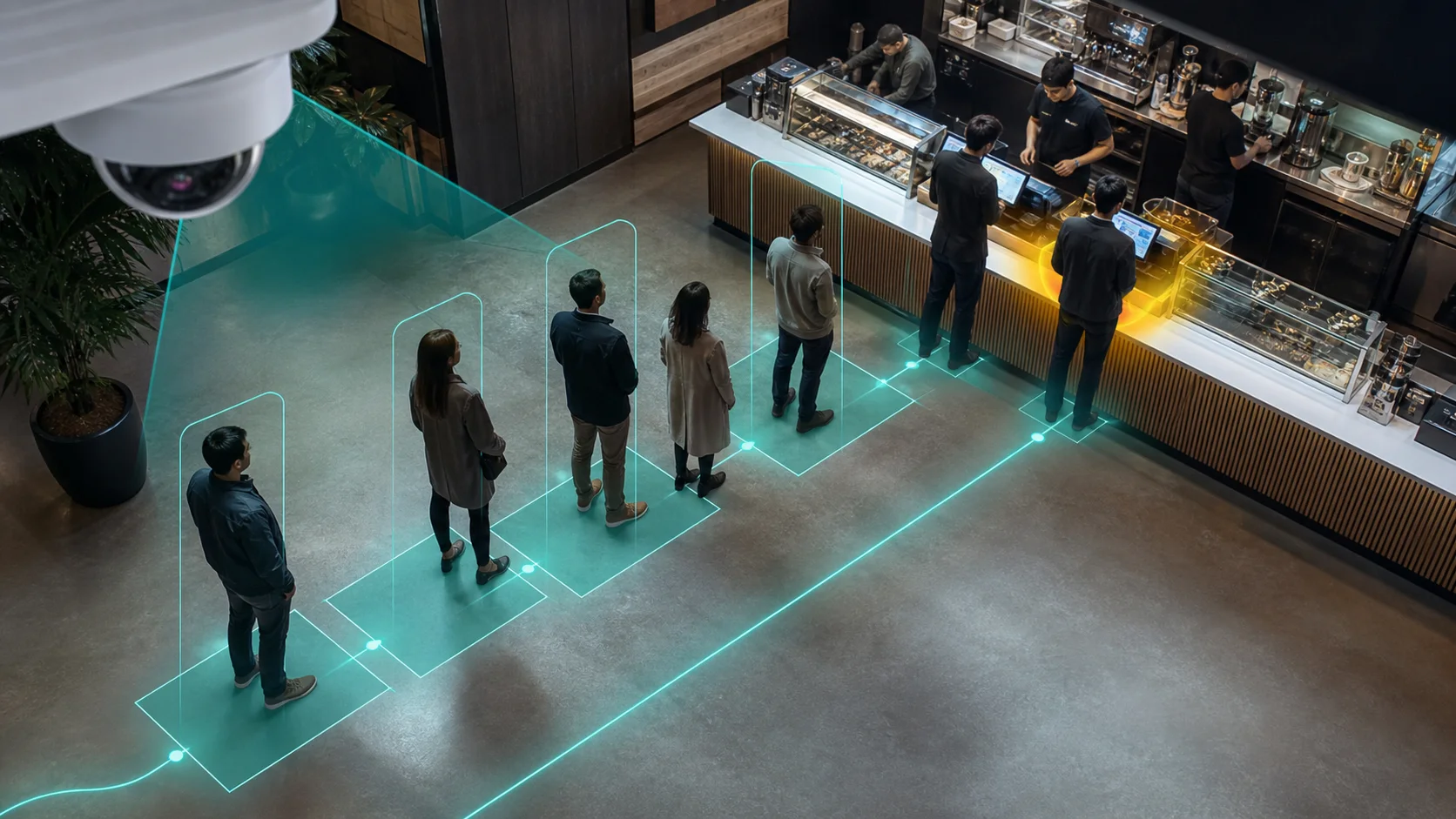
Queue management is the process of controlling how customers wait for service: organizing the flow from the moment they arrive to the moment they are served. Done well, it reduces wait times, prevents walkouts, and keeps staff deployed where they are needed most.
Why it matters more than most operators think
A long queue is not just an inconvenience. Waitwhile's 2025 consumer survey found that 61% of shoppers will abandon a physical line before being served. That is not only a customer experience problem. It is a revenue problem. Every queue that gets too long and goes unaddressed is customers walking out the door.
The traditional levers for managing queues, such as adding cashiers, shuffling staff, or installing a ticketing kiosk, all require either more headcount or new hardware. Most small and mid-size operators do not have the budget for either on short notice. And even when the hardware is there, those systems often tell you what already happened, not what is happening right now.
The two approaches: digital waitlist vs. camera detection
Most queue management software focuses on the digital waitlist model: customers check in via app or kiosk, get a virtual place in line, and wait until they are called. Companies like Waitwhile, Q-nomy, and Qtrac have built well-regarded products in this category. It works well for appointment-based businesses and high-traffic service desks.
But many retail, hospitality, and logistics environments do not fit the digital check-in model. Customers walk in, grab a basket, browse, and eventually join a queue at checkout or a service counter. There is no app check-in. There is no ticket. The queue just forms, and by the time a manager notices it is too long, customers are already irritated.
This is the gap that camera-based queue management fills.
How AI cameras detect queue buildup
Instead of relying on customers to self-report their position in line, AI camera analytics monitors your checkout or service area in real time and detects when a queue is forming by counting the number of people waiting and tracking how long they have been there.
Here is what that looks like in practice with Horus:
- You draw a zone on your checkout camera view: the area where the queue forms.
- Horus monitors that zone continuously, counting people and tracking dwell time.
- When the queue length crosses a threshold you set, such as more than four people or average wait exceeding three minutes, an alert fires to your manager's phone.
- The manager opens a second till, redirects floor staff, or calls for backup before customers start leaving.
No new hardware. No customer check-in. It works with the cameras you already have.
What queue management costs you when it fails
The impact of poor queue management compounds across a retail operation in several ways.
Walkouts. A customer who leaves a queue rarely comes back the same day. In a store with 300 daily transactions and a 5% walkout rate, that is 15 lost sales every day.
Staff inefficiency. Without queue data, managers guess at staffing levels. That means overstaffing during quiet periods and understaffing during peaks, both of which cost money.
Repeat offenders. A store that repeatedly has long queues builds a reputation for it. Online reviews, word of mouth, and return visit rates all take a hit.
Loss prevention blind spots. Long queues and congested areas around exits are also where shrinkage rates spike. Busy staff looking after queues are not watching the floor.
Retail operators who implement camera-based queue monitoring typically report two immediate results: faster staff response to queue buildup, and a measurable drop in queue-related walkouts within the first 30 days of deployment.
Queue management vs. crowd detection
These terms get confused. Queue management is specifically about the line waiting for a specific service point: a till, a counter, a fitting room, or a loading bay. Crowd detection is broader. It tracks overall people density in a zone, which matters for safety compliance and general floor management.
Horus supports both. If you are primarily concerned with checkout wait times, you configure queue zones at each till. If you are managing overall store density or compliance, you configure crowd detection across the sales floor. Both use the same cameras; you define what you are tracking.
Getting started
The setup path for camera-based queue management is significantly simpler than installing a ticketing system or kiosk. You need:
- An existing IP camera with a clear view of the queue area
- Horus installed on a Windows PC on your network
- Zone configuration in the Horus interface
From there, alerts go live immediately. You can tune thresholds over a few days based on what your actual busy periods look like. Most operators find their settings stabilise within a week.